Say Goodbye To Wrist Pain With These 5 Essential Desk Tips If you're one of the millions of people who spend their days staring at a computer screen, chances are you've experienced wrist pain at some point. The repetitive strain of typing, mouse clicking, and constant grasping for your keyboard can be a recipe for disaster, leading to swelling, numbness, and even long-term damage. But fear not, dear office dwellers – there are simple changes you can make to your workspace to alleviate the aches and pains that come with prolonged desk work. Desk Ergonomics 101: Eliminate Wrist Strain For Good
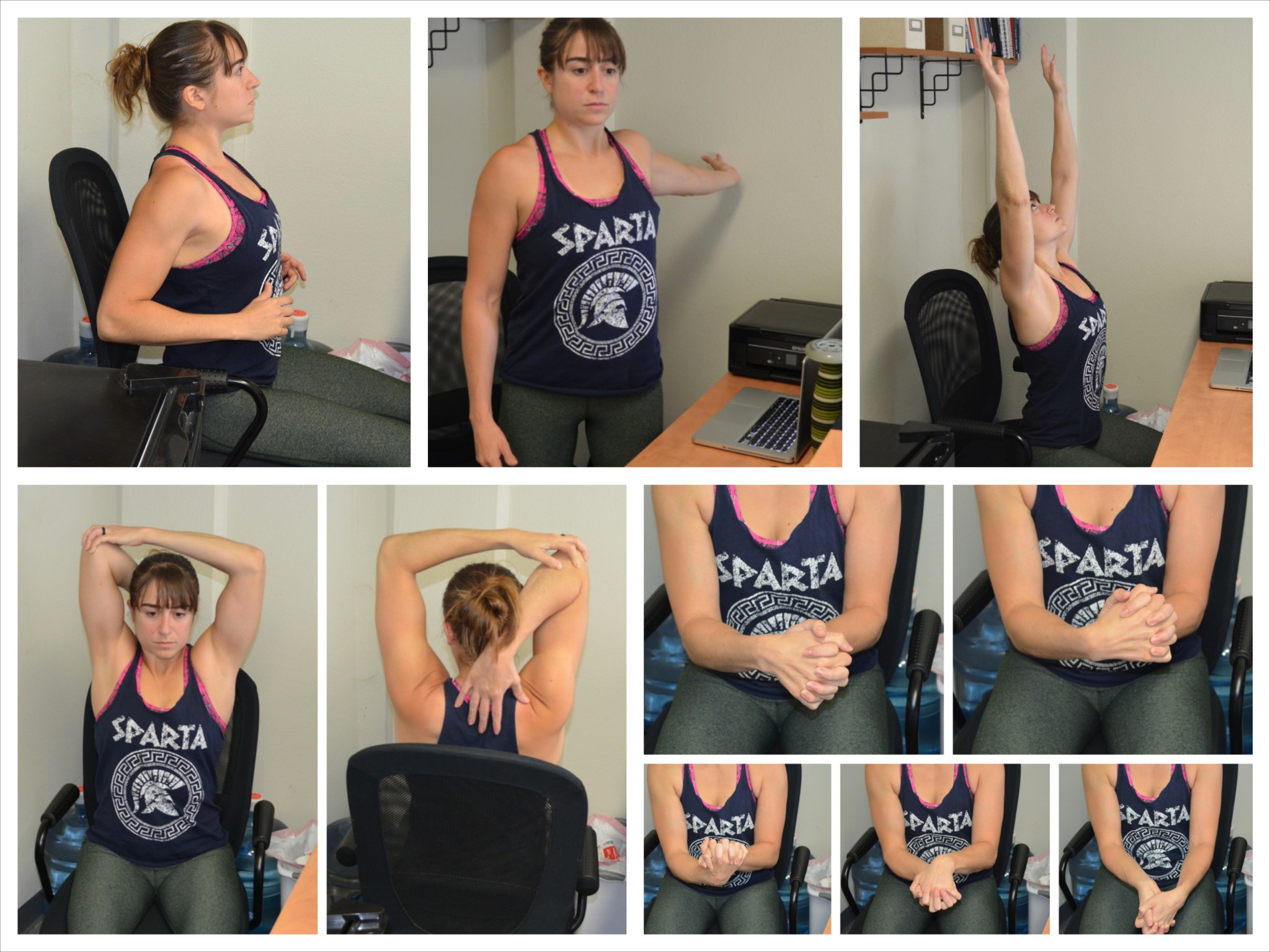
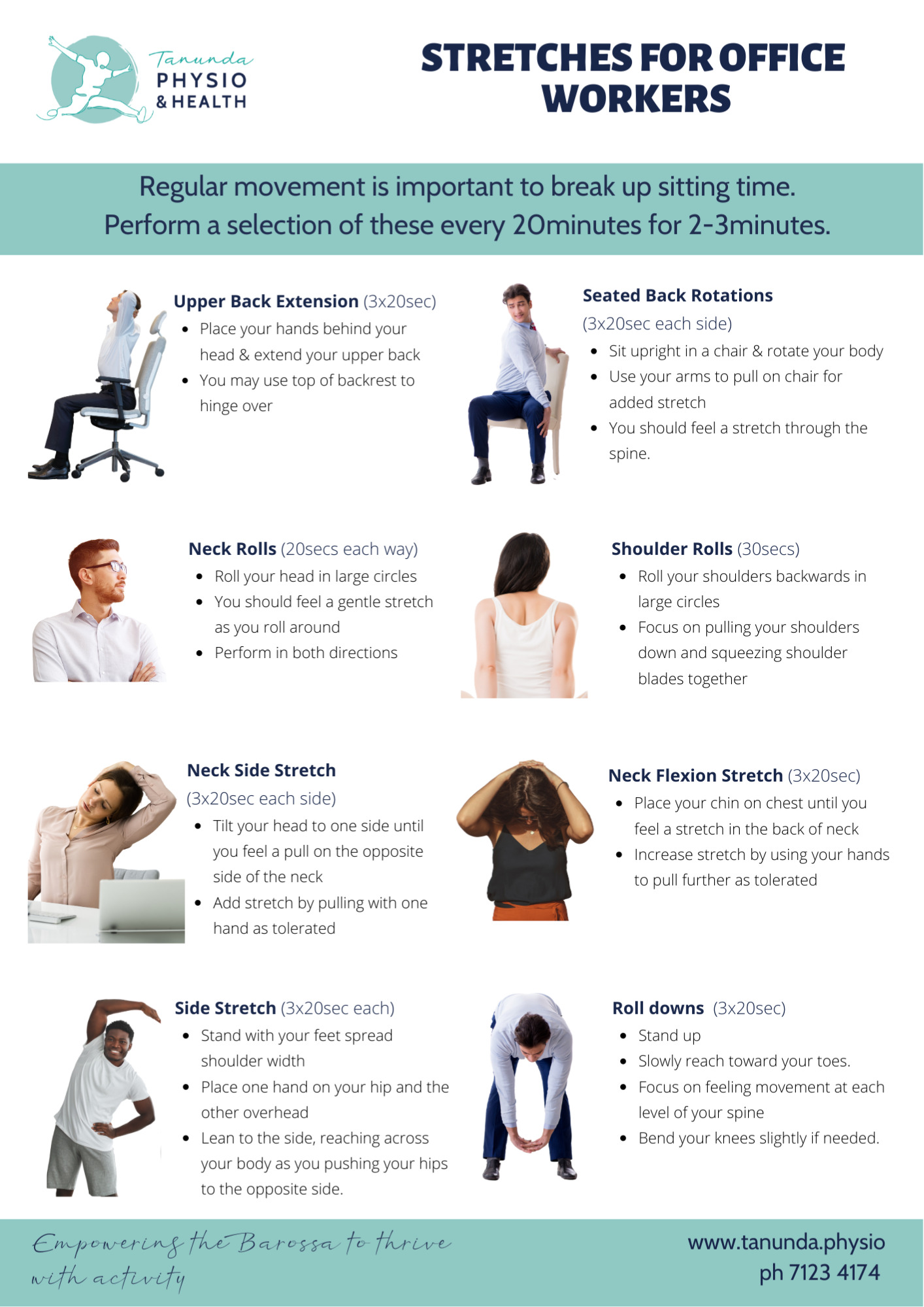
One of the most crucial adjustments you can make is to adjust your monitor and keyboard to promote good posture. By placing your screen directly in front of you and at a comfortable distance, you can reduce the strain on your neck and shoulders, which in turn reduces the pressure on your wrists. Additionally, keeping your keyboard and mouse at a height that allows your wrists to remain straight can help prevent repetitive strain injuries. Another essential desk tip is to take regular breaks to stretch and move around.
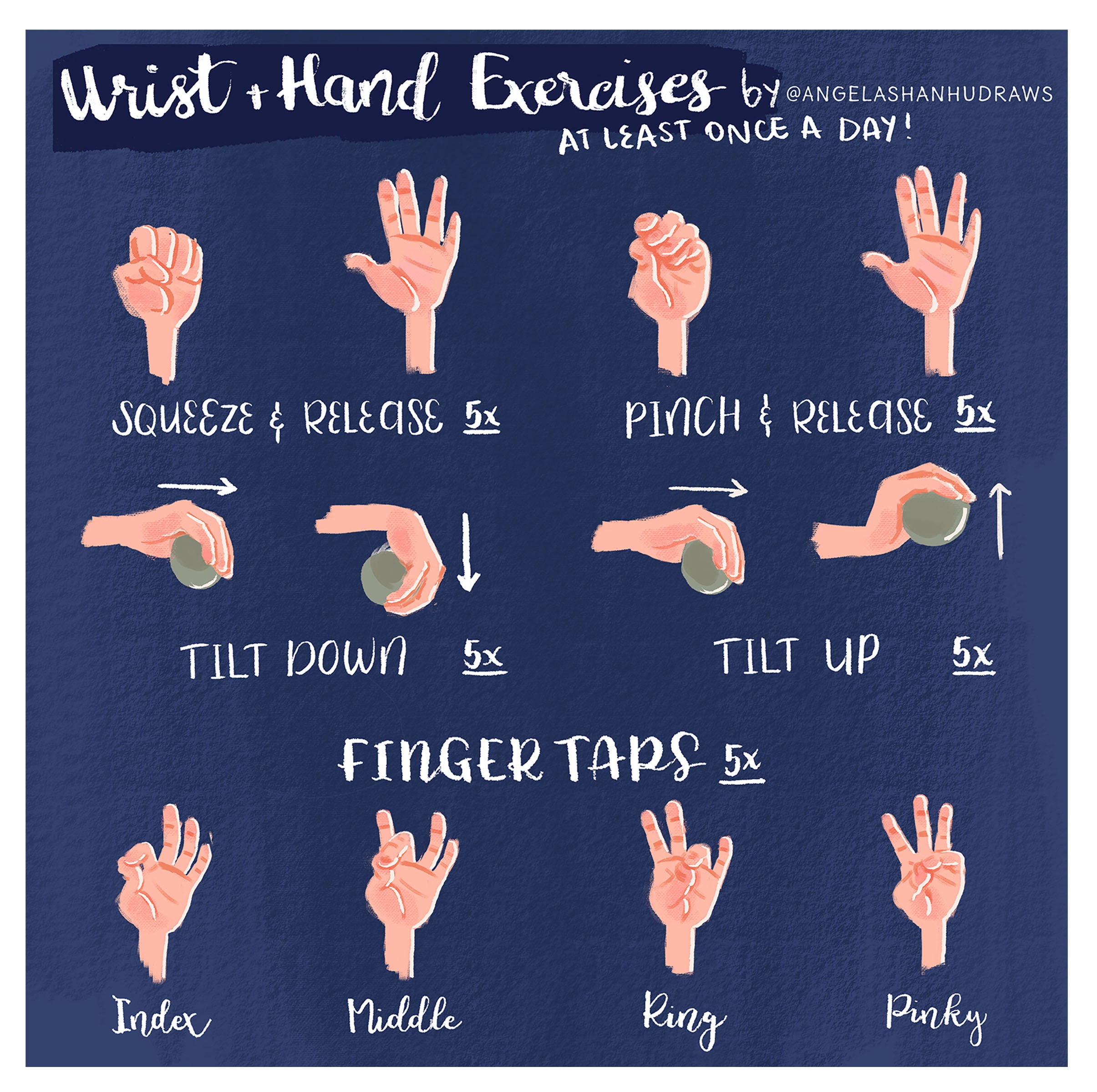
Simple exercises like rolling your wrists, stretching your fingers, and shaking out your arms can work wonders in reducing stiffness and promoting blood flow. Wrist Pain Relief Starts With A Proper Desk Setup You can also try using an ergonomic mouse or keyboard with built-in wrist rest to take some of the pressure off your joints. By incorporating these simple desk tips into your daily routine, you can say goodbye to wrist pain and hello to a healthier, more comfortable working experience. Remember, taking care of your wrists is crucial for maintaining overall productivity and well-being – so take the time to make these adjustments today and enjoy the benefits of a pain-free workspace tomorrow.