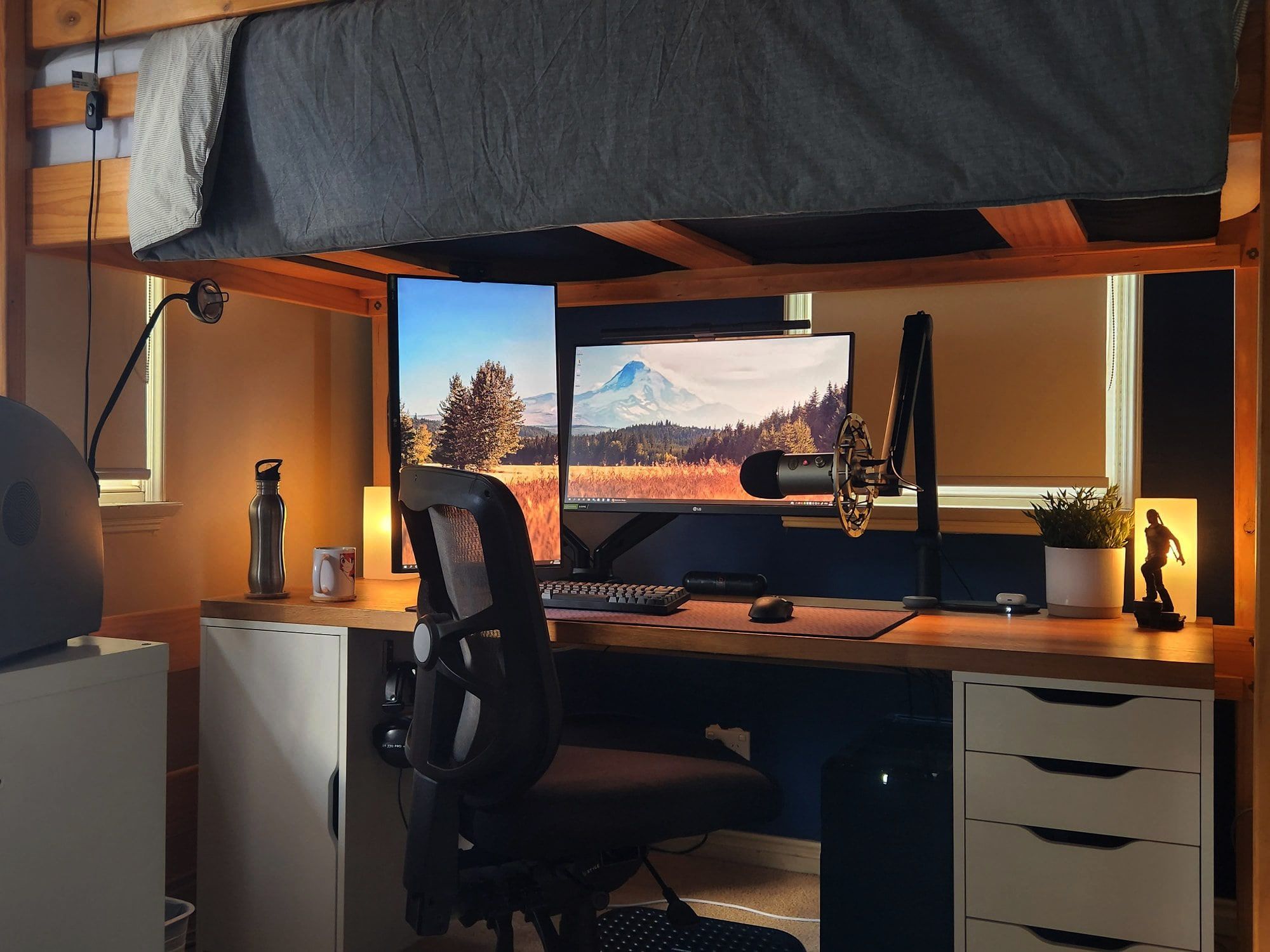
Healthy Computing Habits: A Guide To Desk Setup As we spend more time in front of our computer screens, it's essential to establish healthy computing habits to avoid straining our eyes, minds, and bodies. A properly set up desk can make a significant difference in reducing the risks of musculoskeletal disorders, eye strain, and discomfort. A well-planned desk setup can also improve productivity and concentration. Ergonomic Workspace Essentials For Pain-Free Typing
To create a healthy computing environment, it's crucial to consider the layout and arrangement of your workspace. A well-set up desk should be ergonomic, allowing you to work in a comfortable and efficient position. This means adjusting the height and angle of your monitor, keyboard, and mouse to fit your body. A good starting point is to position your monitor directly in front of you, at a distance of about 20-25 inches, and at a height that allows you to gaze slightly downward.
Your keyboard and mouse should be placed close to your body, with your wrists straight and your elbows at a 90-degree angle. Streamlining Your Workspace With A Desk And Dresser Setup Proper positioning is also key to reducing eye strain. Make sure the top of your monitor is at eye level or slightly below, and that the brightness and contrast of your screen are adjusted to a comfortable level. Additionally, consider the type of monitor you're using – a display with high color accuracy and ergonomic features can make a significant difference.
By setting up your desk with ergonomics and comfort in mind, you can create a healthy computing environment that fosters productivity, relaxation, and overall well-being.