If you're one of the millions of people who experience carpal tunnel symptoms at work, you know how debilitating and frustrating it can be. From numbness and tingling in your hands to pain and discomfort that radiates up to your arms, carpal tunnel syndrome can make it difficult to perform even the simplest tasks. However, there are simple ways to reduce the symptoms and prevent them from worsening over time. Ergonomic Desk Design: How To Create A Workspace That Works For You
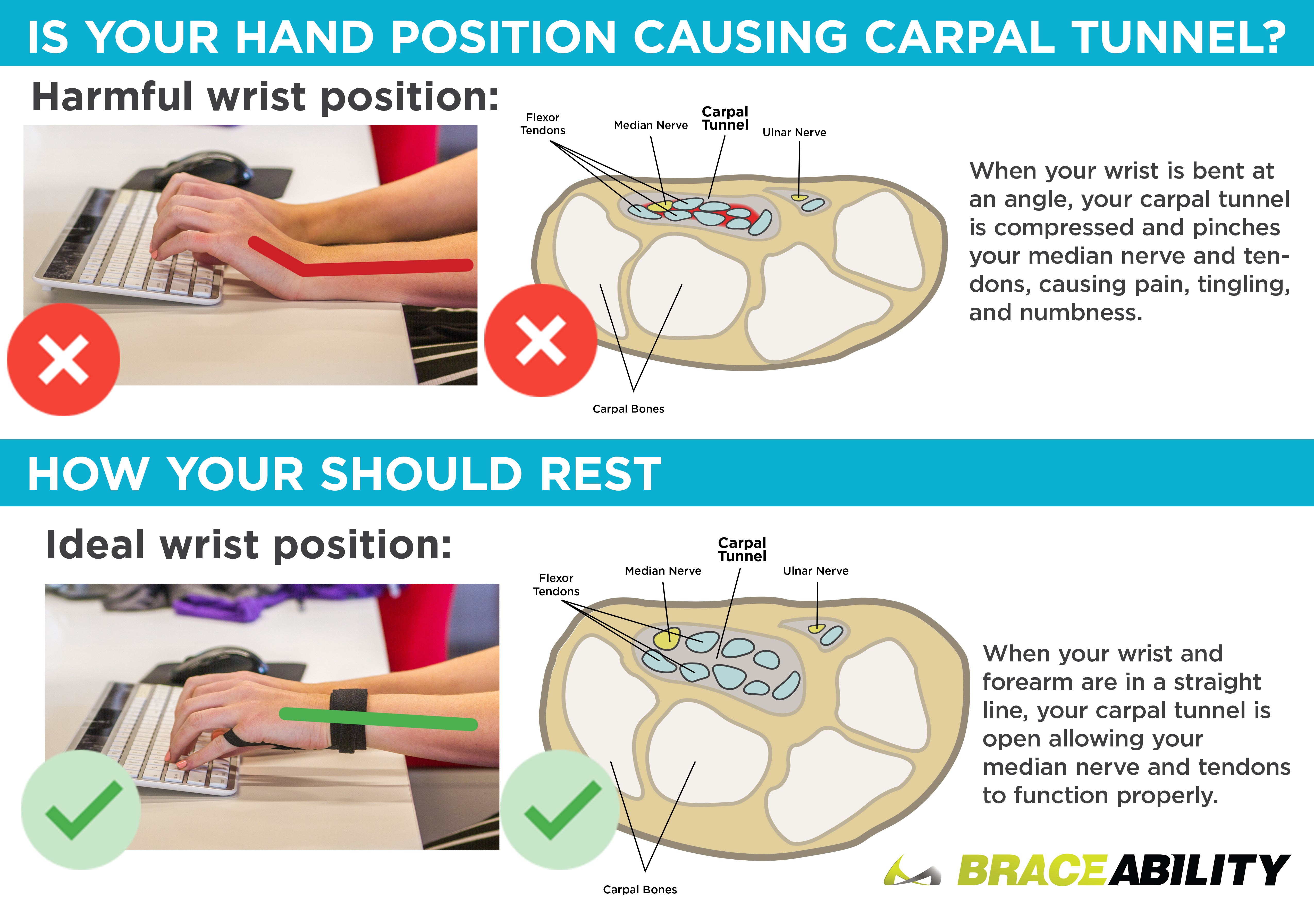
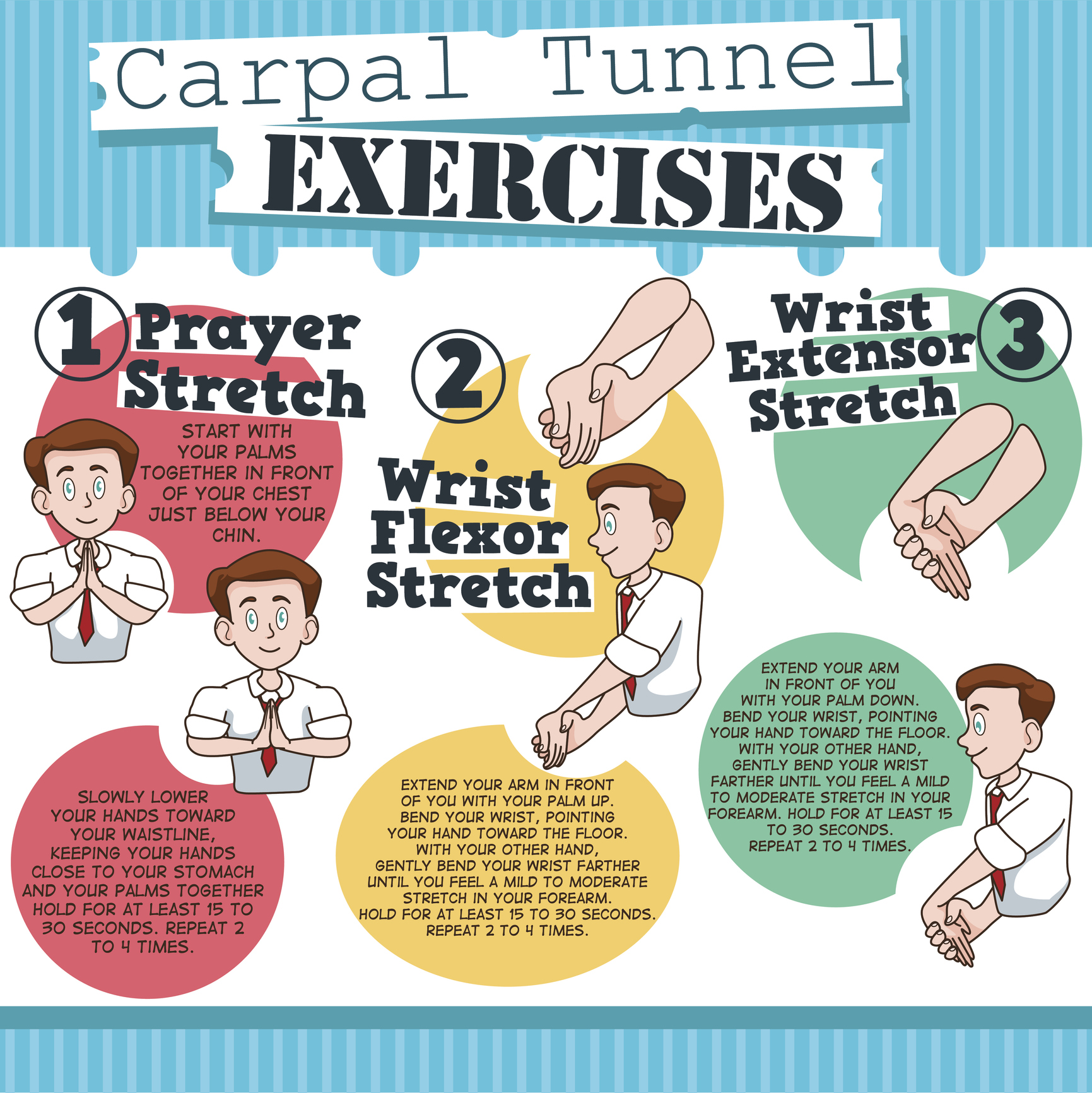
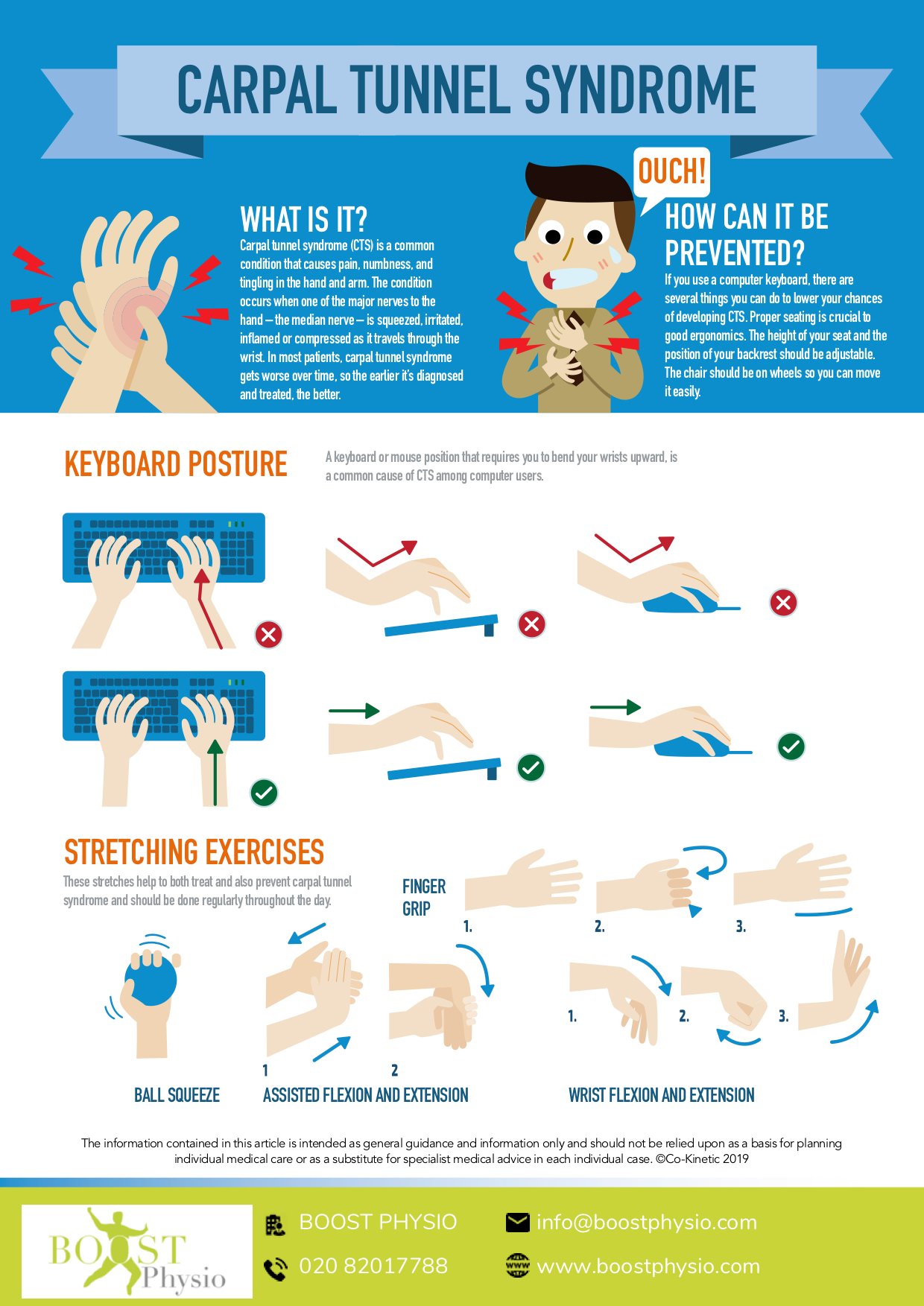
One of the most effective ways to alleviate carpal tunnel symptoms is to take regular breaks to stretch your hands, wrists, and forearms. Simply interlace your fingers together and stretch, or try some simple wrist rotations to loosen up tight muscles. Additionally, adopting an ergonomic setup at your workstation can also make a big difference. Make sure your monitor is at eye level, your keyboard and mouse are within easy reach, and your chair is at a comfortable height to reduce strain on your wrists.
Another crucial aspect is taking care of your posture. Top 10 Ergonomic Desk Mistakes You're Making (And How To Fix Them) Slouching or leaning forward can put unnecessary pressure on your wrists and exacerbate symptoms. Try to maintain good posture by keeping your shoulders relaxed, your back straight, and your head level. You can also try using a document holder or tray to keep papers at eye level and reduce the need to constantly bend or twist.
Regular breaks, ergonomic adjustments, and good posture can go a long way in reducing carpal tunnel symptoms at work. Furthermore, considering a wrist rest or cushion for your keyboard and mouse can also provide additional relief. The Ultimate Ergonomic Desk Guide: Tips And Tricks For Success While carpal tunnel syndrome may seem like a minor issue, chronic wrist strain can lead to long-term damage if left unchecked. By incorporating these simple tips into your daily work routine, you can reduce the risk of developing debilitating symptoms and maintain hand function.









.png?width=6106&height=3512&name=carpel tunnel anatomy (4).png)